

Latest Version
Zen Team
Linux
Free
app.zen_browser.zen
Report a Problem
More About Zen Browser
Picture this: you are working on a complex research project with twenty open tabs, trying to compare documentation while keeping your communication channels open. Traditional browsers quickly turn your screen into an unreadable mess of tiny icons. The Zen browser solves this digital chaos by reimagining how we interact with the web, offering a structured, distraction-free environment specifically tailored for Linux users who value both productivity and data sovereignty.
What is the Zen Browser?
Developed by the Zen Team, this application is a sophisticated, privacy-focused web browser designed to help you stay focused and browse faster. Unlike mainstream platforms that track your telemetry and crowd your screen with commercial bloatware, this utility prioritizes user experience and data protection above all else. It provides a clean canvas where your content takes center stage, supported by a suite of built-in organizational tools.
Key Features of this Privacy-Focused Web Browser
The interface is built from the ground up to support heavy multitasking without sacrificing system performance or desktop real estate. Here are the standout features that set it apart:
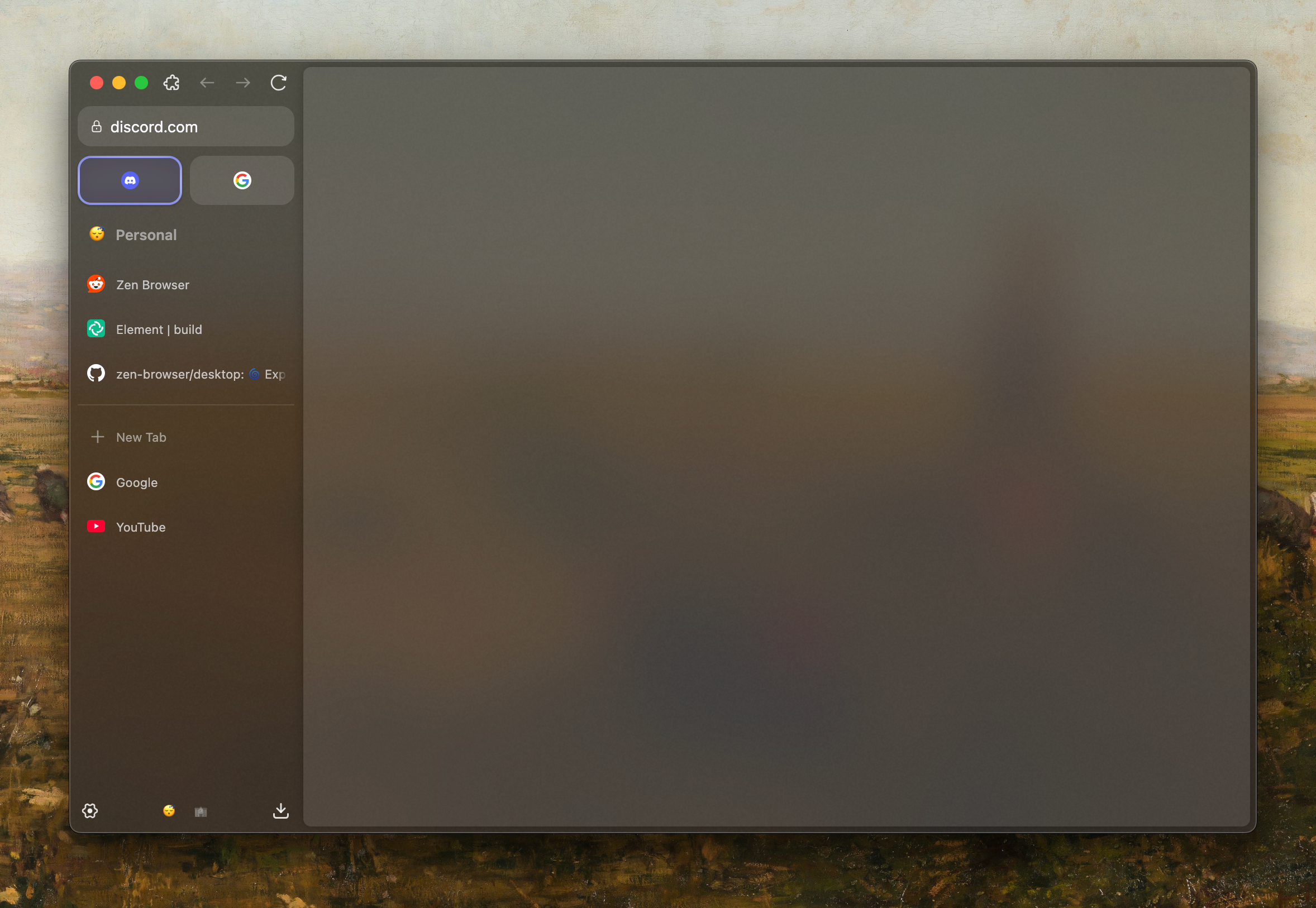
- Vertical Tabs: Move your navigation to the side. Vertical tab management utilizes modern widescreen monitors much more efficiently than traditional top-row layouts.
- Split View Workspace: View multiple web pages side-by-side within a single window. This is perfect for cross-referencing documentation, writing articles, or monitoring live feeds.
- Convenient Web Sidebar: Keep your essential utility sites, quick notes, or translation tools just a click away without disrupting your main browsing flow.
- Intelligent Tab Groups: Categorize your active sessions by project, topic, or personal interest to keep your workspace organized and manageable.
- Highly Customizable Interface: Tailor the visual aesthetic and functional layout to match your specific daily workflow and desktop environment.
Who is Zen Designed For?
If you are a Linux power user, developer, or digital professional who spends hours navigating complex web applications, this application is crafted for you. It appeals directly to those who are tired of heavy system resource consumption and invasive data collection practices. By combining a minimal footprint with advanced workspace organization, it offers a refreshing alternative to the standard browsing experience.
Our Verdict
The Zen browser successfully bridges the gap between minimalist design and robust functionality. It proves that you do not need to sacrifice advanced productivity features to maintain strict digital privacy. By keeping your data secure and your workspace uncluttered, it delivers on its promise to help you browse faster and stay focused. To experience this streamlined workflow firsthand, visit the official Flathub store page to get started on your Linux system.
Rate the App
User Reviews

Popular Apps










Editor's Choice